Gather your files
Import files or folders. Filter file types, hidden files and empty files, and set custom exclusion rules.
 Files2PDF
YOUR FILES. A NEW CHAPTER.
Turn text, Markdown and images into a PDF you’ll want to read. Choose your files, shape the page, and export — all on your device.
 Files2PDF
Import files or folders. Filter file types, hidden files and empty files, and set custom exclusion rules.
Adjust fonts, spacing, margins and paper size. Render Markdown, choose a background, and add headers, footers or page numbers.
Review your PDF before saving. Combine files in order or export a separate PDF for each file.
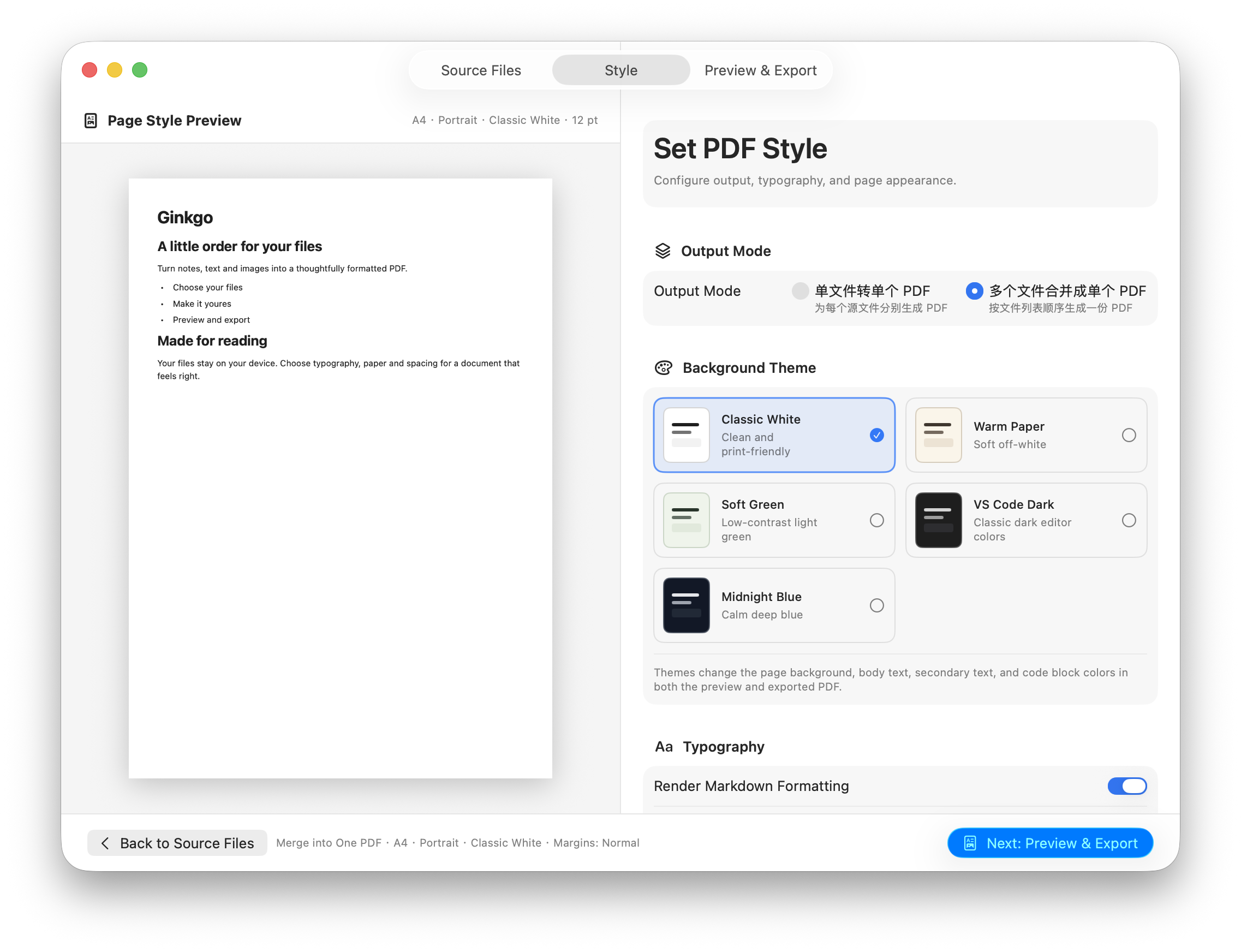
Shape your PDF while checking the page preview. Adjust fonts, line spacing, margins, paper size and orientation; choose a background theme and add headers, footers or page numbers. Markdown can be rendered with its formatting.
Source files are read and processed locally. Files2PDF does not upload your documents to a server.
Privacy policy ↗